

PipiAds Tutorial 2026: Boost Your E-commerce Sales
🎁 E-commerce tools for just €26.25 with the SPYBOX code BLOGSPYBOX20 !
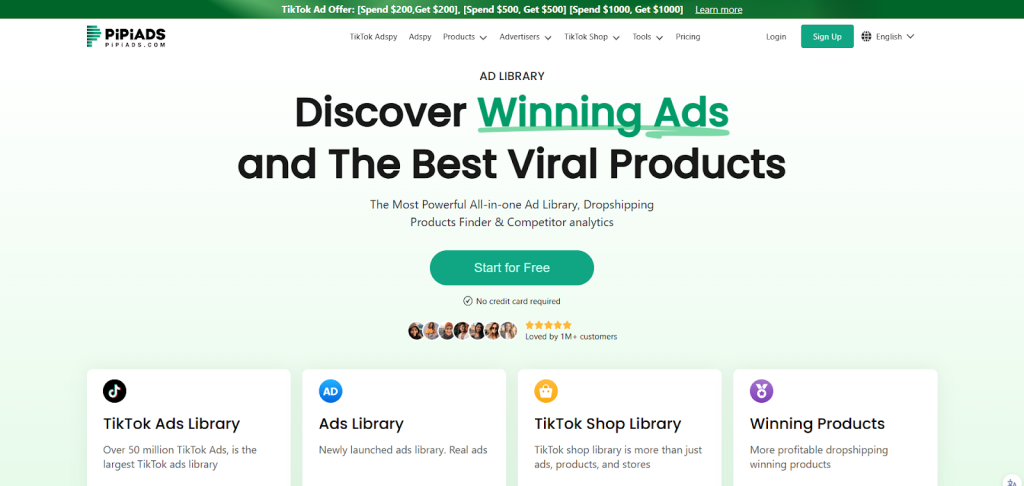
Let me introduce you to PipiAds, an ad search tool designed to help you find ads that are performing well for your e-commerce business.
You can filter results by platform, product type, language, or time period, then check out key metrics (views, impressions, estimated orders, website CMS) and grab links to the posts and websites to analyze each campaign.
You can also access PipiAds via Spybox, a group buy that gives you access to tons of tools to cut costs when you’re just starting out.
By playing around with filters like TikTok, e-commerce, dropshipping, or product category, you can spot campaigns that are performing well—from small shops to industry giants—and use them as inspiration for your competitive intelligence or your own ads.
Key Points
Use specific filters to find ads that are truly suited to your platform or product type.
Look at metrics and direct links to gauge campaign performance and traffic.
Test multiple tools via Spybox without breaking the bank thanks to group access.
Introducing PipiAds and Spybox
Bundled access to PipiAds and other tools via Spybox
You can get PipiAds on Spybox, a group-buy platform that gives you access to over a hundred tools. With Spybox, you can lower the cost of entry for all the software essential to your e-commerce business.
There’s even a promo code in the video to try the first month for about €27, just to see if you like it.
Why group buying benefits your e-commerce business
PipiAds via Spybox lets you explore real TikTok and Facebook ads, filtering by platform, language, category, or sales type (dropshipping, e-commerce, TikTok Shop).
You’ll get metrics like impressions, views, launch dates, estimated orders, and ad costs, and you can follow the links to analyze product pages.
This helps you monitor the competition, test creative ideas, and quickly assess whether a product is worth it before blowing your ad budget.
🎁PIPIADS for just €26.25 with the code BLOGSPYBOX20 !
Getting Started with PipiAds
Key Features and What They Do for You
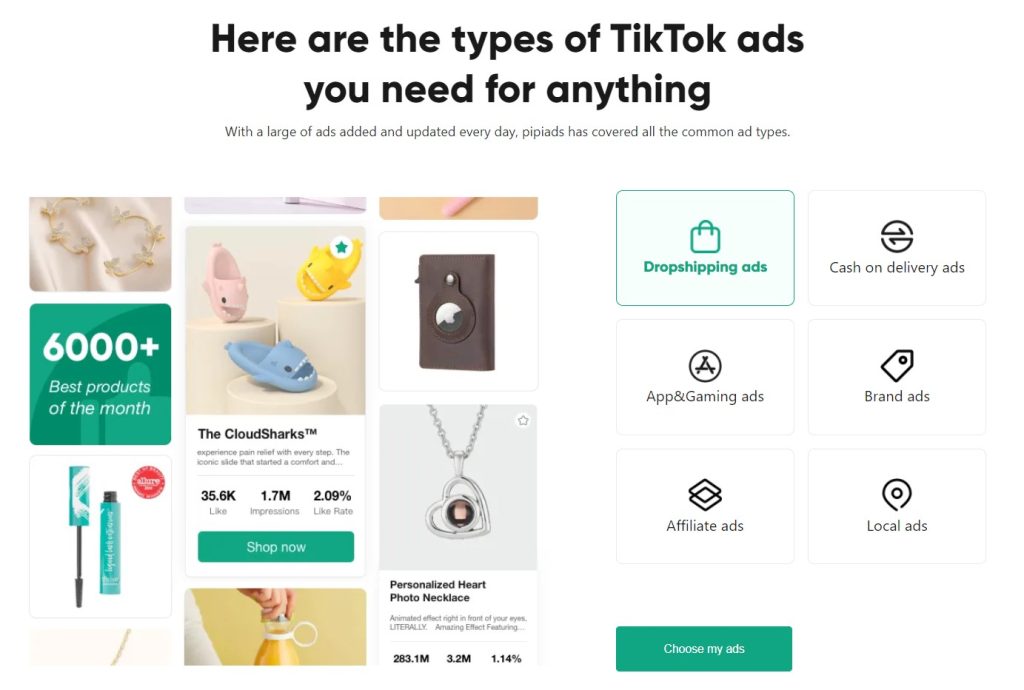
Cross-platform ad search: Filter by network (e.g., TikTok), ad type (e.g., dropshipping, TikTok Shop, e-commerce), and product category.
Advanced filters: Choose the language, launch period (e.g., 30 days), and subcategories to refine your search (e.g., video games → action).
Performance data: Each ad displays impressions, views, time online, engagement rate, estimated sales, and ad costs calculated using big data.
Access to creators and product pages: open the source post, check out the ad account, and follow the link to the e-commerce site.
Comparison and competitive intelligence: You analyze the formats that are performing well (classic TikTok, unboxing, product demos).
Diversity of observable niches: You come across campaigns in a wide range of niches (online courses, headphones, solar kits, cosmetics), with performance metrics that vary by sector.
Navigating the interface quickly
Main tab bar: The first tab contains several modules—ad search (Ad Spy), ad library, advertisers, ad tracking (Ad Tracker), influencers, and image search.
Step-by-step filtering: Start with the platform, then the ad type, the niche, and finally the subcategories before applying.
Refreshing and loading: Sometimes it takes a while to load; if nothing appears, check your filters (it’s easy to forget one) and reload the page.
Viewing a result: Click on an ad to see detailed metrics, then access the post or website via the links.
Practical use: For your monitoring, find an ad that inspires you, visit the creator’s account, watch other videos, and analyze the formats and messages.
🎁Premium e-commerce tools—get your PROMO CODE BLOGSPYBOX20 !
Using the Adpy Feature
Filter by platform (TikTok, Facebook)
First, select the platform you’re interested in—like TikTok—to display only ads from that network.
Then choose the campaign type (all, dropshipping, TikTok Shop, etc.) to narrow down what you want to see. Apply the filters and refresh if needed to view the latest results.
Search by industry (video games, e-commerce, dropshipping)
Choose a specific niche like video games, e-commerce, or dropshipping to target ads on that topic. You can further refine your search with a subcategory (like video games → action) to find more targeted ads.
If you don’t find enough results, broaden the category (like switching from gaming to e-commerce) to get more examples.
Refine results (language, launch period)
Filter by language to keep only ads in the language you want (e.g., French). Set a time frame (last day, 30 days, etc.) to identify recent ads.
With these filters, you can assess how recent the campaigns are and their local audience.
In-Depth Analysis of Advertising Examples
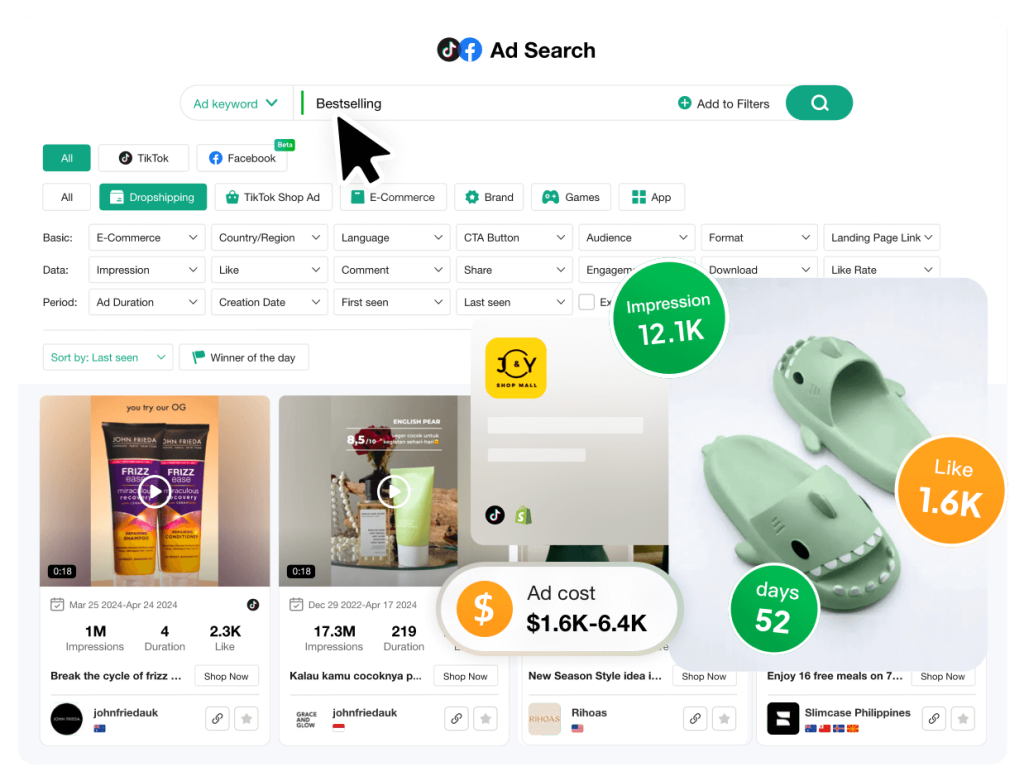
For each ad you find, check out the available metrics: impressions, first and last display dates, estimated engagement rate, and estimated orders.
Click the post link to analyze the creative and visit the landing page to check out the offer and sales funnel. Use all this for your competitive intelligence: look at the script, video format, prices, and promotions (codes, discounts), and adapt your own ads.
Competitive Analysis and Inspiration
Monitoring active campaigns
Filter by platform, traffic type, and niche to display only the ads that interest you (e.g., TikTok → e-commerce → dropshipping).
Use the language and time period filters (30 days, etc.) to target recent ads in French.
For each ad, you’ll see: impressions, views, launch date, estimated sales, and estimated ad cost.
Click the post link to view the creative and the redirect link to check the product page or landing page.
A few examples: online courses for law students (60,000+ impressions, estimated costs and orders), audio accessories and lifestyle bundles (varying impressions, estimated 1–5 orders), trending solar kits (1.6–2.4M impressions, estimated tens to hundreds of orders), French cosmetics with wide reach (1.6M impressions, estimated 84–767 sales).
🎁 PIPIADS for just €26.25 with the code BLOGSPYBOX20 !
Decoding Success Factors
Check the creativity of the format: video demos, testimonials, unboxings—they make all the difference to performance.
Verify that the product aligns well with the landing page: a clear and consistent page boosts conversion.
Cross-reference metrics: impressions + duration of exposure + sales estimates—this gives you an idea of profitability.
Observe what top performers use: precise targeting, simple messaging, social proof, promotional offers (codes, seasonal discounts).
Use these insights to adapt or test formats and pages that work in your niche, varying creative and target audiences.
Exploring the Ad Library
Ads on Facebook, Instagram, and Messenger (and TikTok mentioned)
I’ll show you how to navigate through active ads to directly find the post sources.
Filter by platform (like TikTok), product type (e-commerce, dropshipping, TikTok Shop), or category (video games, action, etc.) to display only what interests you.
For each ad, the tool shows you: impressions, views, estimated orders, ad cost range, website CMS, link to the post, and landing page.
Click the redirect link to check the merchant’s website and analyze the offer (price, promo code, product page).
Use the language and broadcast period (like French, 30 days) to keep only recent and relevant ads.
Review the video formats and headlines in the post for competitive analysis and pick out good ideas to adapt to your niche.
Filtering tools and advanced criteria
The interface offers a wide range of parameters to refine your search: platform, ad type, niche, subcategory, language, and time period.
Combine multiple filters (e.g., TikTok + e-commerce + French + 30 days) to generate a stream of targeted ads.
The results also show automatically calculated metrics (total impressions, dates, order estimates) based on historical data.
Refresh the page if the filters don’t update; sometimes it’s a bit slow.
Quick tip: Start broad (like e-commerce) then narrow down (category, action) to find high-potential ads without getting lost in the results.
🎁 I’m taking advantage of this now with the code BLOGSPYBOX20 !

Discover Top-Performing Advertisers
Ranked by Views and Ad Spend
You can sort ads by platform, format, and category to see which ones have generated the most impressions and views.
For example, if you filter by TikTok → e-commerce → dropshipping, you’ll find ads that sometimes have tens of thousands, or even several million, impressions.
Specific examples found:
An ad for a tool for law students: 61,000 impressions over 10 days, estimated cost per order between $59 and $239.
An ad for earbuds: approximately 22,000 impressions, estimated 1 to 5 orders.
A solar kit: between 1.6 and 2.4 million impressions, created in early January 2026, estimated 95 to 531 orders.
A French cosmetic product: 1.6 million impressions over 12 days, estimated 84 to 767 sales.
You can also check the launch dates, campaign duration, and the CMS used (like WordPress) to gauge the freshness and structure of the landing pages.
Analysis of the Most Effective Advertisers’ Approaches
Take a look at the creative content, the hooks, and the landing page to figure out what really works.
Try to identify whether the video features an unboxing, a product demo, a testimonial, or just a tutorial screenshot.
Each format yields different results depending on the niche—it’s fascinating.
Things to look for if you want to draw inspiration or test them out:
The text and hook right at the start of the video (like “Try the tool all students are talking about”).
The visual quality and price positioning (for example, a premium presentation for headphones).
Promotions and codes (like a Valentine’s Day 30% off code) that appear on the landing page.
Pipiad estimates (impressions, estimated orders) to see if it might be worth it.
If you want to do some real competitive intelligence, click on the TikTok post, check out the account, watch several videos, and look at the e-commerce page. It helps you find your own advertising angle.
🎁 I’m trying out Pipiads with Spybox: code BLOGSPYBOX20 !
Tips for Optimizing Your Advertising Campaigns
Use Pipiads to find top-performing ads on Facebook and TikTok to inspire your creative and targeting.
Filter by platform (like TikTok), type (dropshipping, e-commerce, TikTok Shop), and category (gaming, action, etc.) to find ads perfectly suited to your niche.
Refine your search by language and time period (e.g., 30 days) to uncover recent campaigns relevant to your market.
Carefully analyze metrics (impressions, views, engagement rate, order estimates, and ad costs) to determine if a creative or product is worthwhile.
Click on redirect links, inspect product pages and the CMS (like WordPress) to understand the customer journey.
Review video content and the advertiser’s account to conduct competitive analysis and identify what works (format, text, promise). Compare sales estimates (like order ranges) to prioritize high-potential products and adjust your budgets.
Be selective based on product type: some segments (cosmetics, health, etc.) require specific skills or guarantees before launching ads, so don’t forget that.
Refresh the results if the tool is slow and test different filters if you don’t have enough relevant examples.
Use highly visible campaigns (those with skyrocketing impressions) as case studies, pick out what seems to be driving volume, and then adapt it to your needs.
Conclusion and Recommendations
You can use Pipiads through Spybox to access a wide range of tools without necessarily paying full price.
Remember to use the provided promo code; it reduces the cost of your first month if you want to test all the features.
Filter by platform, category, and language. This way, you can precisely target the ads that are truly relevant to you.
Carefully examine the dates and number of impressions to identify ads that are still active and relevant to your niche.
Check the provided metrics (impressions, views, order estimates, CPM). You’ll quickly see if an ad is performing well or not.
Click on the redirect links and visit the targeted websites. This helps you understand the user experience and the product page.
Conduct regular competitive analysis: examine the source post, analyze the advertiser’s account, and note what’s really working creatively.
Adapt the formats and messages that are performing well (like TikTok videos, testimonials, and promotional offers) to suit your own style.
Be careful with sensitive sectors like cosmetics or healthcare if you lack expertise. Focus on more traditional e-commerce products initially.
Test several segments (e-commerce, dropshipping, etc.) and adjust your filters until you find worthwhile results.
Quick Priorities Table
Action Why
Activate Spybox + promo code Affordable access to Pipiads and additional tools
Filter by platform & category To find truly relevant ads
Check impressions and dates See if ads are still active and their reach
Analyze landing pages Better understand the conversion funnel
Conduct creative tests Reclaim successful formats
Start with short tests, measure the results, then increase budgets if it’s worthwhile.
Keep documentation of the ads you’ve analyzed to iterate more quickly on your own creative ads.